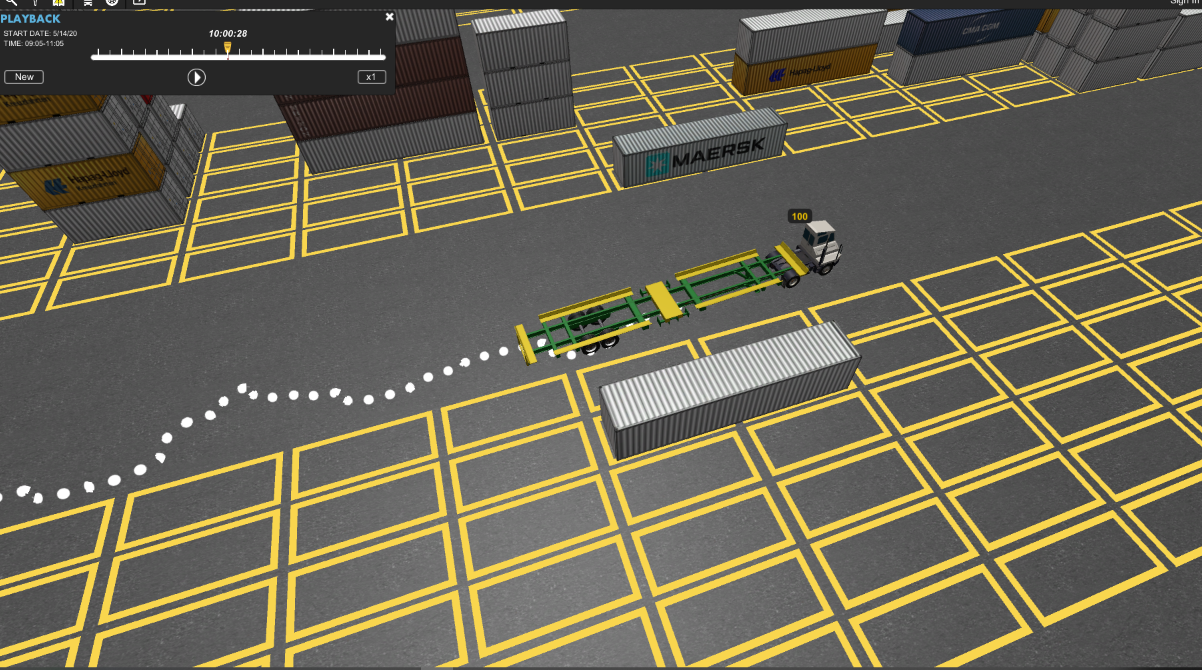
Create a digital twin of your terminal at a real-world scale, showing equipment positioning and details in real time for total operational visibility.
Easy to Navigate
Intuitive keyboard and mouse controls allow you to fly through your terminal or zoom into a specific area, and immediately locate a container or piece of equipment.
Optimize Your Assets
View the location and configure idle time alerts for every piece of handling equipment at your facility. Receive instant feedback about which pieces of equipment have surpassed the idle time threshold to optimize asset utilization.
Realistic Operational Views with a Digital Twin
Using a real-world scale model built to the exact dimensions of your terminal, Terminal View creates a “digital twin” that delivers real-time visibility into all operations and assets.
Track Hazardous Materials
Hazardous material filters allow you to view on-dock hazmat boxes, color coded by IMO code.
Enhance Productivity
Use Terminal View to uncover patterns and trends in your data, visualize potential bottlenecks and take corrective action to increase your terminal’s productivity.
Color Coding and Filtering
Filter your yard by vessel or rail operations and apply color coding for each crane’s planned moves. View your highest priority moves and the crane equipment assigned to them.
Terminal View + Tango Trace & Go
Track your equipment using TANGO position detection system (PDS)
- Visualize all your equipment in Terminal View at a fraction of the cost of a DGPS solution
- Instantly see congestion in real-time and take corrective action before it slows productivity
- Take advantage of the visibility available in a fully PDS-enabled yard without the significant investment.